Loading...
Automate GPG subkey rotation — Part 4

Marco Franssen
8 min read•1460 words
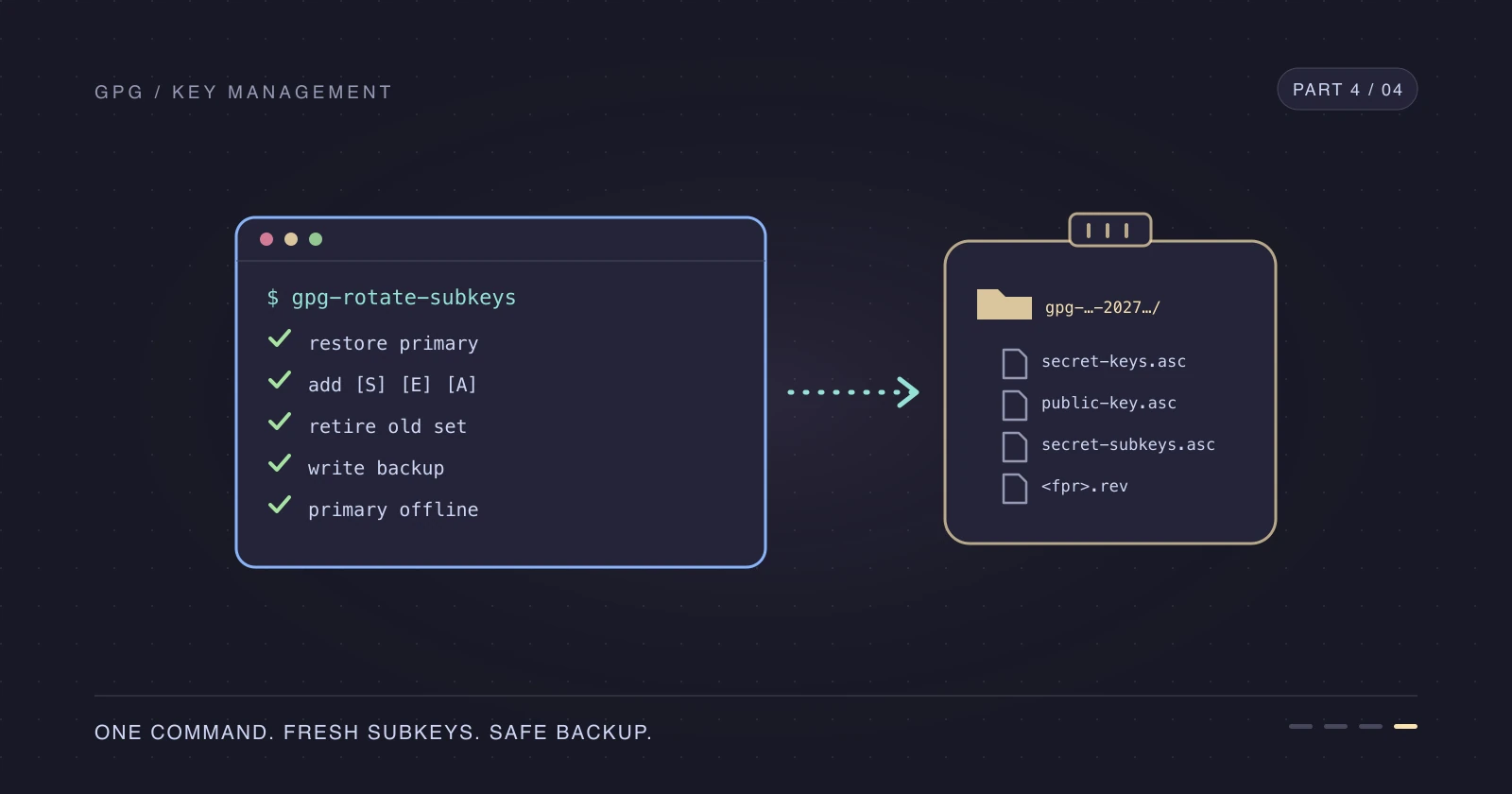
In Part 3, we rotated GPG subkeys by hand: restore the primary key, back up, add new subkeys, shorten the old ones, back up again, and take the primary offline. That's a dozen careful steps once a year, which is exactly the kind of procedure I forget in between.
Let's put the keyring part of that runbook into one script. It rotates the subkeys and writes a complete backup set to a directory you choose, such as an encrypted USB drive. It deliberately leaves GitHub, your SSH servers, and your Git configuration alone, and prints those commands with your new fingerprints filled in instead.
Read Part 3 first if you haven't. The script automates the steps, but you should still know what each one does and why.
What the script does
| Step | Script | You |
|---|---|---|
| Restore the primary key | Imports your backup when it's offline | Provide the backup file and passphrase |
| Back up before changing anything | Writes a pre-rotation snapshot | |
| Revocation certificate | Copies it, or generates one when missing | Answer the prompts if it needs to generate it |
| Extend the primary key's expiry | Only when it would expire first | |
Add [S], [E], and [A] subkeys | Always, expiring in one year | |
| Retire the old subkeys | Shortens only the still-valid ones | |
| Fresh backup and transfer files | Writes and checks them | Store the directory in two protected places |
| Take the primary offline again | Only when it imported it | |
Git, sshcontrol, GitHub, keyserver | Prints the commands | Run them |
It refuses to start when something doesn't add up: a fingerprint that isn't the full 40 characters, a backup directory that doesn't exist, --import while the primary secret key is already present, or an offline primary without --import. It shows a plan and asks for confirmation before it changes anything.
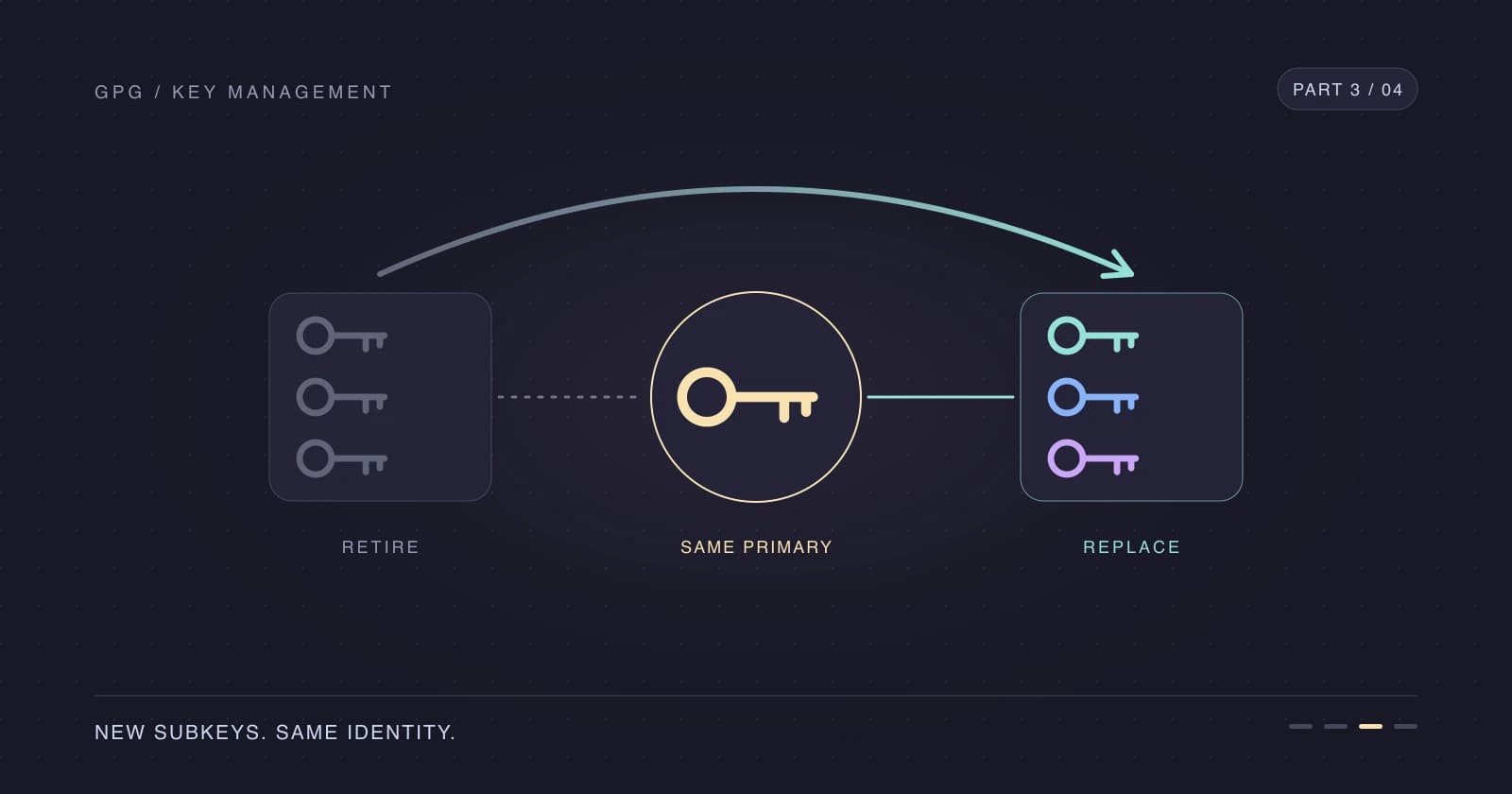
Two details from Part 3 matter here. The script never passes an already-expired subkey to --quick-set-expire, because GnuPG would make it valid again for the overlap period. And it never deletes old subkeys: you still need the old encryption keys to decrypt historical data.
Install the script and read it
Grab gpg-rotate-subkeys from the main branch of my dotfiles, save it as ~/.local/bin/gpg-rotate-subkeys, and make it executable. I install my dotfiles with GNU Stow, which links the script into ~/.local/bin for me. Make sure ~/.local/bin is on your PATH, or call the script by its full path.
chmod +x ~/.local/bin/gpg-rotate-subkeys
gpg-rotate-subkeys --help
Read it before you run it: it handles your primary secret key. Below is the version this post describes; the copy on main may have moved on since.
Loading https://raw.githubusercontent.com/marcofranssen/dotfiles/b2526da34cbb837ce16febe30d344e88ca385f5a/.local/bin/gpg-rotate-subkeys…
Rotate your subkeys
Mount your encrypted backup drive on a trusted machine and look up the primary fingerprint as in Part 1. With the primary key offline, pass the full secret-key backup from last time with --import. The second argument is the directory that receives the new backup.
FPR=$(gpg --list-keys --with-colons marco.franssen@example.com | awk -F: '/^fpr:/ { print $10; exit }')
gpg-rotate-subkeys --import /Volumes/GPG-BACKUP/secret-keys.asc "$FPR" /Volumes/GPG-BACKUP
The script starts with its plan. Check the subkeys it's about to shorten, then confirm.
Key:             D2BA21293A332A5FE783B9458C5FE75D9AFD4510
Primary key:     offline, imported from /Volumes/GPG-BACKUP/secret-keys.asc and removed again
Primary expires: 2028-11-01
New subkeys:     ed25519 sign, cv25519 encr, ed25519 auth, expiring in 1y
Shorten to 1d:
    A42331E6E775BDF8ACCC61E40544873CE3A01000  [s]  expires 2027-11-02
    DFAAF1E0897F8634F3501A4E930A5C04278B075A  [e]  expires 2027-11-02
    6B698C5D425D3144F13E2A8556CD5FFB4F6E9F3F  [a]  expires 2027-11-02
Backup:          /Volumes/GPG-BACKUP/gpg-8C5FE75D9AFD4510-20261102T085306

Continue? [y/N]
Expect pinentry to ask for your passphrase, more than once if gpg-agent hasn't cached it yet. Subkeys that already expired show up under Leave alone, and the script doesn't touch them.
After the rotation, the script lists the key and prints your next steps. Output trimmed.
sec#  ed25519/8C5FE75D9AFD4510 2026-11-02 [C] [expires: 2028-11-01]
      D2BA21293A332A5FE783B9458C5FE75D9AFD4510
uid                 [ultimate] Marco Franssen <marco.franssen@example.org>
uid                 [ultimate] Marco Franssen <marco.franssen@example.com>
ssb   ed25519/0544873CE3A01000 2026-11-02 [S] [expires: 2026-11-03]
      A42331E6E775BDF8ACCC61E40544873CE3A01000
ssb   cv25519/930A5C04278B075A 2026-11-02 [E] [expires: 2026-11-03]
      DFAAF1E0897F8634F3501A4E930A5C04278B075A
ssb   ed25519/56CD5FFB4F6E9F3F 2026-11-02 [A] [expires: 2026-11-03]
      6B698C5D425D3144F13E2A8556CD5FFB4F6E9F3F
ssb   ed25519/007B74573CBAE270 2026-11-02 [S] [expires: 2027-11-02]
      CE07377386A423DC101CED5B007B74573CBAE270
ssb   cv25519/A2EF2C3E6C532476 2026-11-02 [E] [expires: 2027-11-02]
      3614D41A716443EEDB519A2CA2EF2C3E6C532476
ssb   ed25519/CB7676A1CEBEA04B 2026-11-02 [A] [expires: 2027-11-02]
      79B7AAA51FAB9757377CB603CB7676A1CEBEA04B

Done. Store /Volumes/GPG-BACKUP/gpg-8C5FE75D9AFD4510-20261102T085306 in your protected offline locations.
It contains your full secret key: don't leave it on a synced or unencrypted disk.

New subkeys:
  signing         CE07377386A423DC101CED5B007B74573CBAE270
  encryption      3614D41A716443EEDB519A2CA2EF2C3E6C532476
  authentication  79B7AAA51FAB9757377CB603CB7676A1CEBEA04B (keygrip CD23BAED74221E32D042B18B97447486019D0DBB)

Next steps:
  git config --global user.signingkey "CE07377386A423DC101CED5B007B74573CBAE270!"
  awk -v old=3AD64ED5D631D012EA1B5F4937EC4A429503305C -v new=CD23BAED74221E32D042B18B97447486019D0DBB '$1==old {$1=new} {print}' ~/.gnupg/sshcontrol > ~/.gnupg/sshcontrol.new && mv ~/.gnupg/sshcontrol.new ~/.gnupg/sshcontrol
  gpgconf --kill gpg-agent && gpgconf --launch gpg-agent && ssh-add -L
  gh gpg-key delete 8C5FE75D9AFD4510
  gh gpg-key add "/Volumes/GPG-BACKUP/gpg-8C5FE75D9AFD4510-20261102T085306/public-key.asc" --title "GPG key"
  gh ssh-key list    # then: gh ssh-key delete <ID of the old key>
  gh ssh-key add "/Volumes/GPG-BACKUP/gpg-8C5FE75D9AFD4510-20261102T085306/id_gpg.pub" --title "GPG auth subkey"
  gpg --keyserver hkps://keys.openpgp.org --send-keys D2BA21293A332A5FE783B9458C5FE75D9AFD4510   # if you published before
  Import /Volumes/GPG-BACKUP/gpg-8C5FE75D9AFD4510-20261102T085306/secret-subkeys.asc on your other machines.
  Add a reminder for 2027-10-03, a month before the new subkeys expire.
The output shows the same sec# state and six subkeys as the manual rotation in Part 3. Work through the next steps in order. Part 3 explains each one, including keeping your SSH session open while you replace server keys, and checking GitHub's Verified badge after pushing a signed commit.
What's in the backup directory
Every run creates a new timestamped directory, so it never overwrites an earlier backup.
| File | Purpose |
|---|---|
secret-keys.asc | Full secret key after rotation; import this next year |
public-key.asc | Public key for GitHub, keyservers, and other machines |
secret-subkeys.asc | Subkeys without the primary, for your other daily-use machines |
ownertrust.txt | Ownertrust to restore with gpg --import-ownertrust |
id_gpg.pub | SSH public key of the new authentication subkey |
<fingerprint>.rev | Revocation certificate for the primary key |
pre-rotation/ | Secret key, public key, and ownertrust before anything changed |
The secret exports keep your passphrase protection. Still, treat this directory like the backups from Part 1: two protected copies, never in a synced plaintext folder, and the passphrase stored separately.
Older keys and other layouts
My own key from 2019 doesn't match the layout from this series: an RSA primary key that can also sign, kept on the laptop, with an expired encryption subkey and no authentication subkey. The script handles that layout too.
- Primary key on this machine: run without
--import. The script leaves the primary in place and reminds you to take it offline as in Part 2. - Expired subkeys: they're listed under
Leave aloneand stay expired. - No revocation certificate: the script generates one into the backup directory. Answer
y, pick reason0, leave the description empty, and confirm. - No authentication subkey yet: the script adds one and prints the
sshcontrolline to append instead of replace. - Primary key on a smartcard: not supported; the script stops before changing anything.
Use --expire, --overlap, and --primary-expire to change the one-year subkey expiry, the one-day overlap, and the two-year primary extension.
If the script fails after importing your primary key, it says so and prints the command to remove the primary secret key again. Fix the problem and rerun it; every run writes to a new directory.
Checklist
- Install the script and read it.
- Mount your encrypted backup drive on a trusted machine and set
FPR. - Run
gpg-rotate-subkeys, with--importwhen your primary key is offline, and check the plan before confirming. - Check the final listing:
sec#when the primary is offline, old subkeys expiring after the overlap, and new ones after a year. - Run the printed Git,
sshcontrol, agent, GitHub, keyserver, and server steps, following Part 3. - Import
secret-subkeys.ascon your other machines. - Store the new backup directory in two protected places and set the printed reminder.
References
- Create a GPG key with subkeys — Part 1
- Keep your primary GPG key offline — Part 2
- Rotate your GPG subkeys — Part 3
- gpg-rotate-subkeys in my dotfiles
- GnuPG OpenPGP key management manual
- GNU Stow
Thanks for reading—and future me, it's one command now.