Loading...
Rotate your GPG subkeys — Part 3

Marco Franssen
17 min read•3281 words
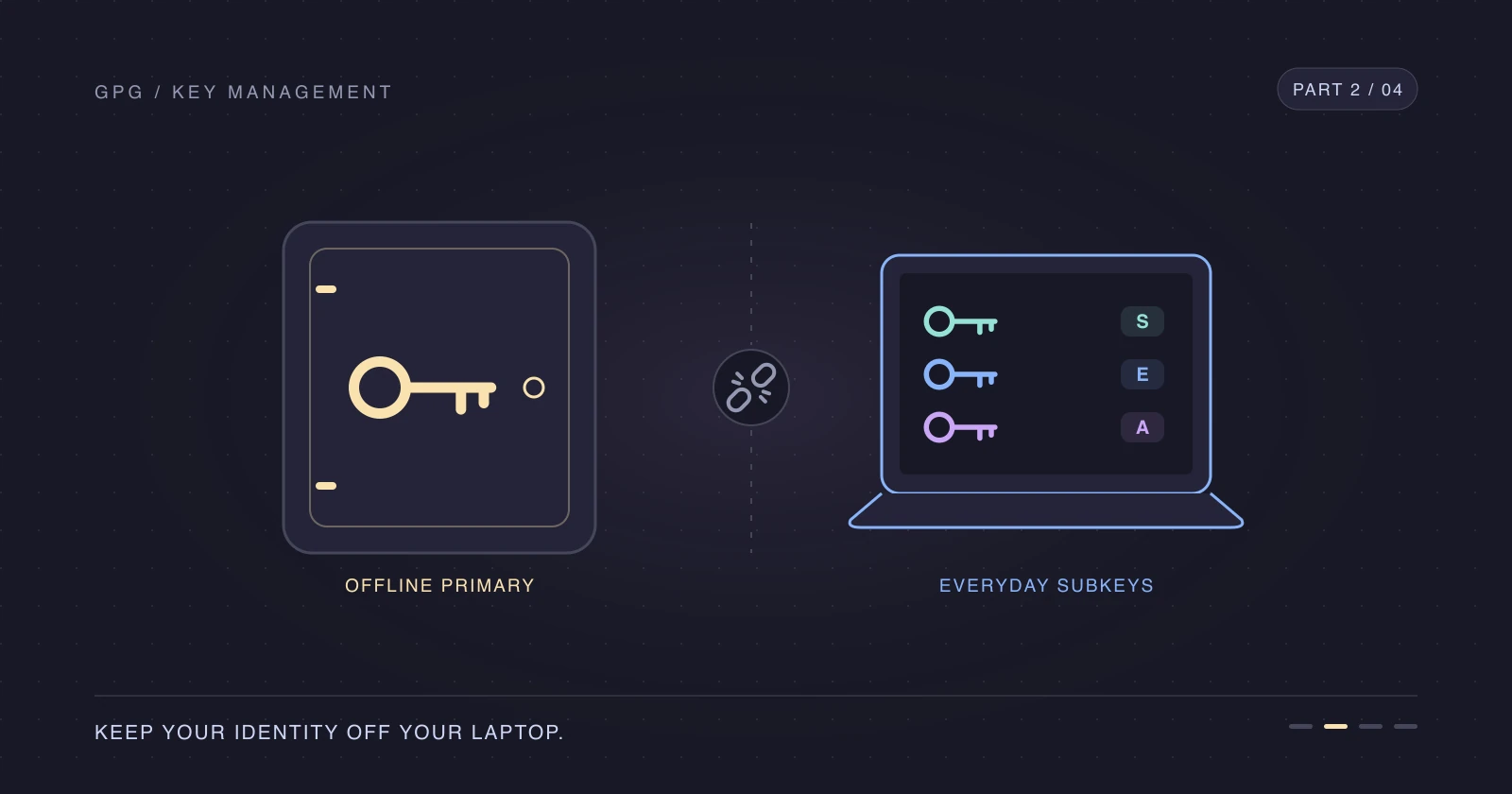
In Part 2, we moved the primary secret key offline, leaving daily-use GPG subkeys that will expire. Let's rotate GPG subkeys without changing the primary fingerprint or losing access to older encrypted data.
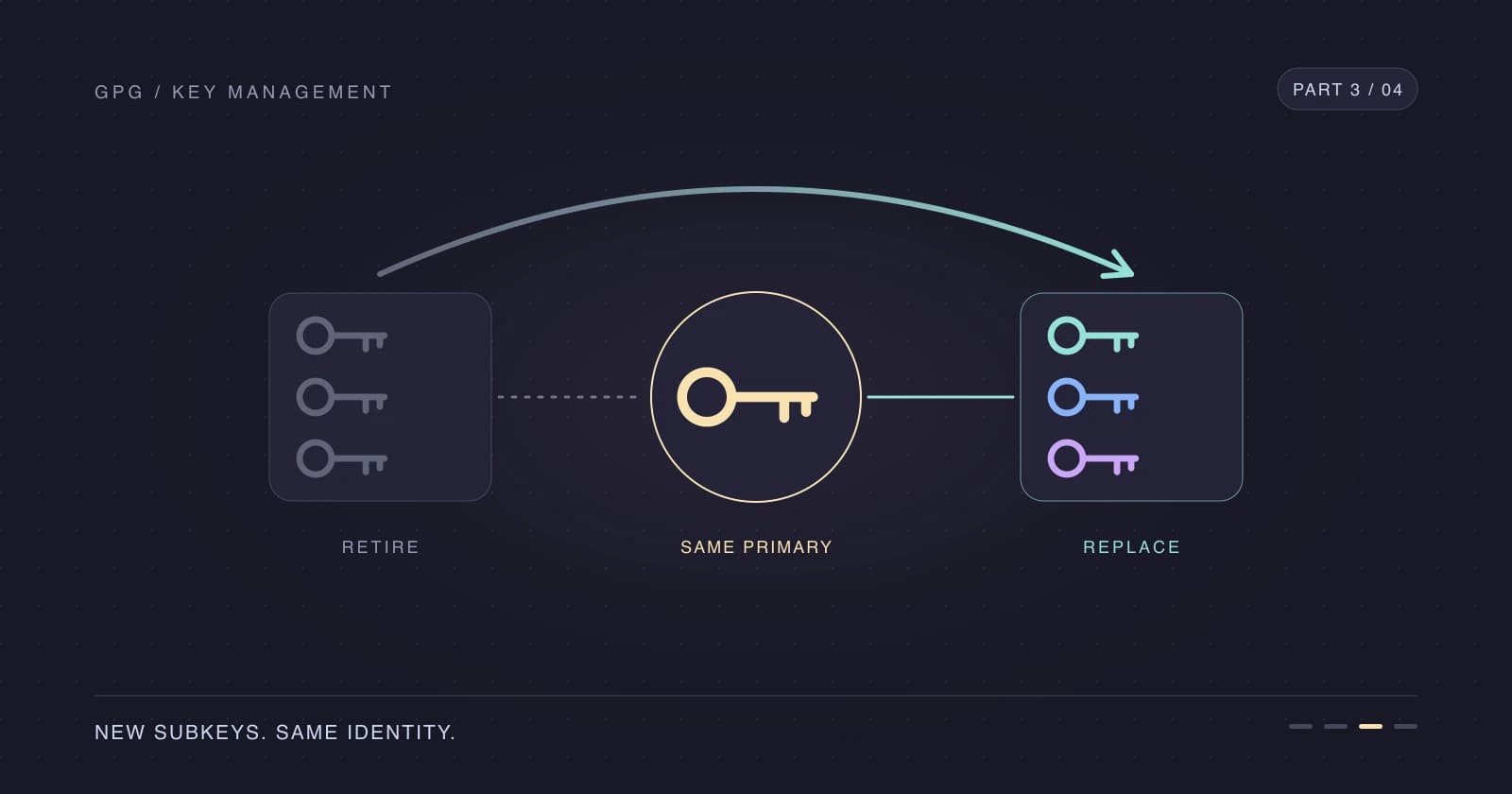
Keep the primary key and fingerprint, create fresh subkeys under it, and never revoke the primary key for routine rotation. Extending an expiry keeps the same private-key material; rotating creates new private-key material and lets us retire the old set. I rotate on a yearly schedule to limit how long each daily-use key remains in service.
This is the runbook I needed when I forgot my own setup. Let's make next year's rotation less memorable.
The examples use the same throwaway key as Part 1 and Part 2. The output shows a same-day rotation, so old and new subkeys share a creation date.
Bring the primary key back temporarily
Use a trusted machine and retrieve the full secret-key backup from your password manager or encrypted offline media. Replace the example path below with the real backup location; don't put it in a synced plaintext folder.
gpg --import /path/to/backup/secret-keys.ascgpg: key 0AAF72D273F2B77B: "Marco Franssen <marco.franssen@example.org>" not changed
gpg: key 0AAF72D273F2B77B: secret key imported
gpg: Total number processed: 1
gpg: unchanged: 1
gpg: secret keys read: 1
gpg: secret keys imported: 1
gpg: secret keys unchanged: 1Set your terminal and rediscover the primary fingerprint using your personal email address. Check the identity if more than one primary key has that email.
export GPG_TTY=$(tty)
FPR=$(gpg --list-keys --with-colons marco.franssen@example.com | awk -F: '/^fpr:/ { print $10; exit }')
gpg --list-secret-keys --keyid-format long --with-subkey-fingerprint "$FPR"sec ed25519/0AAF72D273F2B77B 2026-11-01 [C] [expires: 2028-10-31]
4AD3F5551B8271661AE4197A0AAF72D273F2B77B
uid [ unknown] Marco Franssen <marco.franssen@example.org>
uid [ultimate] Marco Franssen <marco.franssen@example.com>
ssb ed25519/99056C3A5CBEB571 2026-11-01 [S] [expires: 2027-11-01]
0C3FE4F5210B35E09BB91FAC99056C3A5CBEB571
ssb cv25519/558EBFABFA80F6F6 2026-11-01 [E] [expires: 2027-11-01]
1D284FEB08E9A35B9D9D0699558EBFABFA80F6F6
ssb ed25519/496909F86C4564E1 2026-11-01 [A] [expires: 2027-11-01]
4BE4FF9E58BDD96EE7D6F5F7496909F86C4564E1The primary entry is sec again, not sec#. If it still has #, you haven't restored usable primary secret material; stop before changing anything.
Back up before you change anything
Let's take a separate pre-rotation snapshot. Keep this staging directory private and don't overwrite your existing offline backup.
umask 077
BACKUP_DIR=$(mktemp -d "$HOME/gpg-rotation-backup.XXXXXX")
gpg --armor --output "$BACKUP_DIR/secret-keys.asc" --export-secret-keys "$FPR"
gpg --armor --output "$BACKUP_DIR/public-key.asc" --export "$FPR"
gpg --export-ownertrust > "$BACKUP_DIR/ownertrust.txt"
cp ~/.gnupg/openpgp-revocs.d/"$FPR".rev "$BACKUP_DIR/"
If you're restoring onto another trusted machine, the import won't recreate openpgp-revocs.d automatically: retrieve the saved .rev file from your offline backup instead. Protect the passphrase separately from the exported secret keys, as in Create a GPG key with subkeys — Part 1.
If cp reports that the file doesn't exist and you have no saved copy, generate a new certificate while the primary secret key is imported. This happens with keys created by older tools or imported from elsewhere. Answer y, pick reason 0 (no reason specified), leave the description empty, and confirm. This only creates the certificate; importing it is what revokes the key.
gpg --output "$BACKUP_DIR/$FPR.rev" --generate-revocation "$FPR"Create replacement subkeys
Before adding anything, record the fingerprints of the set you're replacing. These lookups select the last-listed subkey of each capability, which matches the most recently appended set in this series; compare them with the listing and your current Git and SSH configuration before retiring any key.
OLD_SIGNING_FPR=$(gpg -K --with-colons "$FPR" | awk -F: '$1=="ssb" {cap=$12} $1=="fpr" && cap=="s" {f=$10} END {print f}')
OLD_ENCRYPTION_FPR=$(gpg -K --with-colons "$FPR" | awk -F: '$1=="ssb" {cap=$12} $1=="fpr" && cap=="e" {f=$10} END {print f}')
OLD_AUTH_FPR=$(gpg -K --with-colons "$FPR" | awk -F: '$1=="ssb" {cap=$12} $1=="fpr" && cap=="a" {f=$10} END {print f}')
Check the [expires: …] date on the sec line above. If the primary key is expired or would expire before the replacement subkeys, extend it first: a subkey can't stay valid after its primary expires. This changes the primary expiry, not the subkeys' expiry or the primary fingerprint.
gpg --quick-set-expire "$FPR" 2yNow add a fresh one-year signing, encryption, and authentication set.
gpg --quick-add-key "$FPR" ed25519 sign 1y
gpg --quick-add-key "$FPR" cv25519 encr 1y
gpg --quick-add-key "$FPR" ed25519 auth 1y
gpg --list-secret-keys --keyid-format long --with-subkey-fingerprint "$FPR"sec ed25519/0AAF72D273F2B77B 2026-11-01 [C] [expires: 2028-10-31]
4AD3F5551B8271661AE4197A0AAF72D273F2B77B
uid [ultimate] Marco Franssen <marco.franssen@example.org>
uid [ultimate] Marco Franssen <marco.franssen@example.com>
ssb ed25519/99056C3A5CBEB571 2026-11-01 [S] [expires: 2027-11-01]
0C3FE4F5210B35E09BB91FAC99056C3A5CBEB571
ssb cv25519/558EBFABFA80F6F6 2026-11-01 [E] [expires: 2027-11-01]
1D284FEB08E9A35B9D9D0699558EBFABFA80F6F6
ssb ed25519/496909F86C4564E1 2026-11-01 [A] [expires: 2027-11-01]
4BE4FF9E58BDD96EE7D6F5F7496909F86C4564E1
ssb ed25519/7F5B48E2B6E0C6DD 2026-11-01 [S] [expires: 2027-11-01]
22FA1A62FE692E8865A2AEE77F5B48E2B6E0C6DD
ssb cv25519/8D84064ADF67D1F4 2026-11-01 [E] [expires: 2027-11-01]
E0EEBFB09F0C02F33621A4368D84064ADF67D1F4
ssb ed25519/A2EADC39038863F4 2026-11-01 [A] [expires: 2027-11-01]
D5D15DE588A93B93ECE991E6A2EADC39038863F4The original three subkeys remain, followed by the three replacements. Populate the daily-use variables with that newly appended set, and compare each fingerprint with your listing before using it.
SIGNING_FPR=$(gpg -K --with-colons "$FPR" | awk -F: '$1=="ssb" {cap=$12} $1=="fpr" && cap=="s" {f=$10} END {print f}')
ENCRYPTION_FPR=$(gpg -K --with-colons "$FPR" | awk -F: '$1=="ssb" {cap=$12} $1=="fpr" && cap=="e" {f=$10} END {print f}')
AUTH_FPR=$(gpg -K --with-colons "$FPR" | awk -F: '$1=="ssb" {cap=$12} $1=="fpr" && cap=="a" {f=$10} END {print f}')
Don't rerun the old-key lookups after adding replacements: they would select the new set instead. If your key has a different history or mixed-capability subkeys, identify the intended fingerprints from its colon listing rather than applying these single-capability lookups blindly.
Retire the old subkeys
Already-expired subkeys need no expiry change. For a still-valid old set, give it a one-day overlap so you can finish updating consumers before it expires.
Don't pass an already-expired subkey to --quick-set-expire: GnuPG sets the new date anyway, which makes the old key valid again for a day. An empty variable makes the whole command fail. This loop only shortens old subkeys that are still valid and reports the ones it skips.
for f in "$OLD_SIGNING_FPR" "$OLD_ENCRYPTION_FPR" "$OLD_AUTH_FPR"; do
  if [ -n "$f" ] && gpg -K --with-colons "$FPR" | awk -F: -v f="$f" '$1=="ssb" {v=$2} $1=="fpr" && $10==f && v!="e" && v!="r" {ok=1} END {exit !ok}'; then
    gpg --quick-set-expire "$FPR" 1d "$f"
  else
    echo "Skipping ${f:-empty fingerprint}: already expired, revoked, or not found"
  fi
done
gpg --list-secret-keys --keyid-format long --with-subkey-fingerprint "$FPR"sec ed25519/0AAF72D273F2B77B 2026-11-01 [C] [expires: 2028-10-31]
4AD3F5551B8271661AE4197A0AAF72D273F2B77B
uid [ultimate] Marco Franssen <marco.franssen@example.org>
uid [ultimate] Marco Franssen <marco.franssen@example.com>
ssb ed25519/99056C3A5CBEB571 2026-11-01 [S] [expires: 2026-11-02]
0C3FE4F5210B35E09BB91FAC99056C3A5CBEB571
ssb cv25519/558EBFABFA80F6F6 2026-11-01 [E] [expires: 2026-11-02]
1D284FEB08E9A35B9D9D0699558EBFABFA80F6F6
ssb ed25519/496909F86C4564E1 2026-11-01 [A] [expires: 2026-11-02]
4BE4FF9E58BDD96EE7D6F5F7496909F86C4564E1
ssb ed25519/7F5B48E2B6E0C6DD 2026-11-01 [S] [expires: 2027-11-01]
22FA1A62FE692E8865A2AEE77F5B48E2B6E0C6DD
ssb cv25519/8D84064ADF67D1F4 2026-11-01 [E] [expires: 2027-11-01]
E0EEBFB09F0C02F33621A4368D84064ADF67D1F4
ssb ed25519/A2EADC39038863F4 2026-11-01 [A] [expires: 2027-11-01]
D5D15DE588A93B93ECE991E6A2EADC39038863F4Check that only the selected old subkeys changed expiry and the replacements still expire in a year. 1d means one day from now, not immediate expiration, and this is not revocation.
Keep old encryption private keys. You need them to decrypt historical data even after their expiry, so don't delete them from your keyring or backups. GnuPG automatically encrypts to the newest valid [E] subkey, while existing ciphertext still targets the old one.
If a daily-use key was compromised, routine expiry is not an incident response: revoke the affected subkey and distribute the revocation. Don't revoke an uncompromised primary key merely because its laptop subkeys need replacement.
Point Git at the new signing subkey
Update Git's exact signing-key selection, then check the email in every repository or identity configuration you use.
git config --global user.signingkey "${SIGNING_FPR}!"
git config --show-origin --get user.emailfile:.git/config marco.franssen@example.comA repository-local setting or an includeIf configuration can override the global signing key. Update those files too; Configure multiple Git commit email addresses by folder explains the folder-based setup. The commit email still needs to match a verified GitHub address on your public key.
Replace your GPG key on GitHub
Export the entire public key, including both old and new subkeys. Assuming the GitHub CLI login and scopes from Part 2 are still available, list the registered GPG keys before replacing the matching entry.
gpg --armor --export "$FPR" > "$BACKUP_DIR/github-public-key.asc"
gh gpg-key list
Find the entry for your primary key and note its KEY ID: the 16-character long key ID of the primary key, 0AAF72D273F2B77B in this series. gh gpg-key delete expects that value, not the full fingerprint or a subkey ID. Deleting removes the account entry until you re-add the updated export.
gh gpg-key delete KEY_ID
gh gpg-key add "$BACKUP_DIR/github-public-key.asc" --title "Marco GPG"
gh gpg-key list
Alternatively, copy the export and replace the entry in GitHub SSH and GPG key settings.
pbcopy < "$BACKUP_DIR/github-public-key.asc"Commits with an existing persistent verification record stay verified after key removal or expiry within that repository's network. That doesn't promise verification for an old commit newly pushed to an unrelated repository; see About commit signature verification for the record's scope.
Switch SSH to the new authentication subkey
Find the new [A] keygrip, then swap only the old authentication keygrip in ~/.gnupg/sshcontrol. A keygrip is not an OpenPGP fingerprint.
gpg --with-keygrip -K "$FPR"sec ed25519 2026-11-01 [C] [expires: 2028-10-31]
4AD3F5551B8271661AE4197A0AAF72D273F2B77B
Keygrip = C346E62FED4A74C614BE50E41C589CEAEA3375D1
uid [ultimate] Marco Franssen <marco.franssen@example.org>
uid [ultimate] Marco Franssen <marco.franssen@example.com>
ssb ed25519 2026-11-01 [S] [expires: 2026-11-02]
0C3FE4F5210B35E09BB91FAC99056C3A5CBEB571
Keygrip = F30797C314BEE13676FE46E5025643C4F8546965
ssb cv25519 2026-11-01 [E] [expires: 2026-11-02]
1D284FEB08E9A35B9D9D0699558EBFABFA80F6F6
Keygrip = 272D65CA0BD0198BA84FC5A40A8B32FA61F350FF
ssb ed25519 2026-11-01 [A] [expires: 2026-11-02]
4BE4FF9E58BDD96EE7D6F5F7496909F86C4564E1
Keygrip = FD0AD4641B2B265888B2904293396906C51E59DF
ssb ed25519 2026-11-01 [S] [expires: 2027-11-01]
22FA1A62FE692E8865A2AEE77F5B48E2B6E0C6DD
Keygrip = 7F1EA4AEABC4EDE2DCC812E402542FD29D78D3E0
ssb cv25519 2026-11-01 [E] [expires: 2027-11-01]
E0EEBFB09F0C02F33621A4368D84064ADF67D1F4
Keygrip = 1F1B512D0510793CF8EBFD321F1B0996ADBE06D8
ssb ed25519 2026-11-01 [A] [expires: 2027-11-01]
D5D15DE588A93B93ECE991E6A2EADC39038863F4
Keygrip = 7C1AA5721F7DC0077878AB9B28C441657ACEDFFBIn the listing above, the old authentication keygrip is FD0AD4641B2B265888B2904293396906C51E59DF and its replacement is 7C1AA5721F7DC0077878AB9B28C441657ACEDFFB. Derive both from the fingerprints recorded earlier and replace the old line in place; comments and unrelated entries stay untouched.
OLD_AUTH_GRIP=$(gpg -K --with-colons --with-keygrip "$FPR" | awk -F: -v f="$OLD_AUTH_FPR" '$1=="fpr" {selected=($10==f)} $1=="grp" && selected {print $10; exit}')
AUTH_GRIP=$(gpg -K --with-colons --with-keygrip "$FPR" | awk -F: -v f="$AUTH_FPR" '$1=="fpr" {selected=($10==f)} $1=="grp" && selected {print $10; exit}')
awk -v old="$OLD_AUTH_GRIP" -v new="$AUTH_GRIP" '$1==old {$1=new} {print}' ~/.gnupg/sshcontrol > ~/.gnupg/sshcontrol.new && mv ~/.gnupg/sshcontrol.new ~/.gnupg/sshcontrol
Compare both values with your own listing, then restart the agent with Part 2's SSH_AUTH_SOCK configuration active. ssh-add -L should offer only the new key.
gpgconf --kill gpg-agent
gpgconf --launch gpg-agent
ssh-add -Lssh-ed25519 AAAAC3NzaC1lZDI1NTE5AAAAIOU5MxOlmFoLX8BpumJxkCMLhdIZ1pTCTig0lNXj916r (none)Exporting by primary fingerprint selects the newest valid authentication subkey in GnuPG 2.5.24. Export it and inspect the GitHub SSH key list.
gpg --export-ssh-key "$FPR" > id_gpg.pub
gh ssh-key list
Replace ID below with the old SSH key's numeric ID from gh ssh-key list. Unlike the GPG step, SSH keys are deleted by GitHub's numeric ID. If this is your only GitHub SSH credential, keep the authenticated CLI or web session available while replacing it.
gh ssh-key delete ID
gh ssh-key add id_gpg.pub --title "Marco GPG auth subkey"
On your servers, add the new public key to ~/.ssh/authorized_keys before removing the old line. Keep an existing session open and test a separate connection with the new key before removing the old one. OpenPGP expiry doesn't remove an SSH public key from servers or encode an expiry into that SSH key.
Then test GitHub authentication. Its documented success greeting is shown in Part 2; the command returns status 1 even on successful authentication because GitHub doesn't provide shell access.
ssh -T git@github.comVerify signing
Let's test the exact new signing subkey, not whichever key GnuPG would otherwise pick.
printf 'Subkey rotation check\n' | gpg --local-user "${SIGNING_FPR}!" --clearsign | gpg --verifygpg: Signature made Sun Nov 1 20:16:35 2026 CET
gpg: using EDDSA key 22FA1A62FE692E8865A2AEE77F5B48E2B6E0C6DD
gpg: Good signature from "Marco Franssen <marco.franssen@example.org>" [ultimate]
gpg: aka "Marco Franssen <marco.franssen@example.com>" [ultimate]The fingerprint in using EDDSA key must match SIGNING_FPR. Next, make a signed test commit in a disposable repository; --allow-empty lets you verify signing without staging file changes.
git commit -S --allow-empty -m "Test rotated signing subkey"[master 329b652] Test rotated signing subkeygit log -1 --show-signaturecommit 329b652f58a9ed4dccfeb96b960df2b370de97d7
gpg: Signature made Sun Nov  1 20:16:35 2026 CET
gpg:                using EDDSA key 22FA1A62FE692E8865A2AEE77F5B48E2B6E0C6DD
gpg: Good signature from "Marco Franssen <marco.franssen@example.org>" [ultimate]
gpg:                 aka "Marco Franssen <marco.franssen@example.com>" [ultimate]
Author: Marco Franssen <marco.franssen@example.com>
Date: Sun Nov 1 20:16:35 2026 +0100
Test rotated signing subkeyPush a signed commit to a repository on GitHub and inspect its Verified badge and signing key ID. Local Good signature alone doesn't prove that your GitHub public-key upload or commit email is correct.
Distribute the updated public key and take the primary offline again
If you published the key before, send the updated public key to the same keyserver and complete any required email verification.
gpg --keyserver hkps://keys.openpgp.org --send-keys "$FPR"Use the updated public export on other machines. For example, transfer $BACKUP_DIR/github-public-key.asc as public-key.asc and import it there.
gpg --import public-key.ascA machine that signs or decrypts also needs the new secret subkeys: transfer a passphrase-protected subkey-only export through your protected channel, then import it on that machine. Never transfer the full primary secret-key backup to a daily-use machine as a substitute.
Create that subkey-only transfer file if needed, and delete the local staging file after the protected transfer and successful import.
gpg --armor --output "$BACKUP_DIR/secret-subkeys.asc" --export-secret-subkeys "$FPR"Before removing the primary again, make a fresh full backup that contains the replacements. These new filenames leave your pre-rotation snapshot untouched.
gpg --armor --output "$BACKUP_DIR/rotated-secret-keys.asc" --export-secret-keys "$FPR"
gpg --armor --output "$BACKUP_DIR/rotated-public-key.asc" --export "$FPR"
gpg --export-ownertrust > "$BACKUP_DIR/rotated-ownertrust.txt"
gpg --show-keys "$BACKUP_DIR/rotated-secret-keys.asc"
Store the fresh secret and public exports, ownertrust, and saved revocation certificate in two protected offline locations, retaining the old encryption private keys. Confirm that the new offline copies and passphrase are retrievable before proceeding; don't overwrite your only good backup.
Repeat Remove the primary secret key from your laptop from Part 2: delete only "$FPR!", then inspect the result.
gpg --delete-secret-keys "$FPR!"
gpg -K "$FPR"sec# ed25519 2026-11-01 [C] [expires: 2028-10-31]
4AD3F5551B8271661AE4197A0AAF72D273F2B77B
uid [ultimate] Marco Franssen <marco.franssen@example.org>
uid [ultimate] Marco Franssen <marco.franssen@example.com>
ssb ed25519 2026-11-01 [S] [expires: 2026-11-02]
0C3FE4F5210B35E09BB91FAC99056C3A5CBEB571
ssb cv25519 2026-11-01 [E] [expires: 2026-11-02]
1D284FEB08E9A35B9D9D0699558EBFABFA80F6F6
ssb ed25519 2026-11-01 [A] [expires: 2026-11-02]
4BE4FF9E58BDD96EE7D6F5F7496909F86C4564E1
ssb ed25519 2026-11-01 [S] [expires: 2027-11-01]
22FA1A62FE692E8865A2AEE77F5B48E2B6E0C6DD
ssb cv25519 2026-11-01 [E] [expires: 2027-11-01]
E0EEBFB09F0C02F33621A4368D84064ADF67D1F4
ssb ed25519 2026-11-01 [A] [expires: 2027-11-01]
D5D15DE588A93B93ECE991E6A2EADC39038863F4You should see sec# again and all six secret subkeys still present. Prove that the new signing subkey works without the primary secret key.
printf x | gpg --local-user "${SIGNING_FPR}!" --clearsign | gpg --verifygpg: Signature made Sun Nov 1 20:16:38 2026 CET
gpg: using EDDSA key 22FA1A62FE692E8865A2AEE77F5B48E2B6E0C6DD
gpg: Good signature from "Marco Franssen <marco.franssen@example.org>" [ultimate]
gpg: aka "Marco Franssen <marco.franssen@example.com>" [ultimate]After confirming the protected backup copies, delete the temporary rotation BACKUP_DIR and any restored full-key files from the laptop. Check the directory path before deleting it; a primary secret-key export left behind defeats taking the primary offline. Filesystem snapshots and old machine backups can still retain those files.
Set a reminder for next year
I add a calendar reminder one month before the earliest new subkey expiry, rather than waiting for Git to complain. The colon-format listing stores expiry as a Unix timestamp in field 7; the first three values below belong to the old set and the last three to the replacements, so use the replacements when setting your reminder.
gpg --list-keys --with-colons "$FPR" | awk -F: '/^sub:/ { print $7 }'1793646994
1793646994
1793646994
1825096592
1825096593
1825096594On macOS, date -r 1825096592 converts a timestamp to a readable date; on Linux, use date -d @1825096592. Check the human-friendly dates in the key listing too, and renew the primary key before its own expiry when needed.
Checklist
- Retrieve the offline backup and passphrase on a trusted machine, import the full secret key, set
GPG_TTYandFPR, and confirmsecas described in Bring the primary key back temporarily. - Set
umask 077, create a privateBACKUP_DIR, and export the full secret key, public key, ownertrust, and revocation certificate as described in Back up before you change anything. - Record and check
OLD_SIGNING_FPR,OLD_ENCRYPTION_FPR, andOLD_AUTH_FPRbefore adding keys, and extend the primary expiry if needed using Create replacement subkeys. - Create the one-year
[S],[E], and[A]replacements, setSIGNING_FPR,ENCRYPTION_FPR, andAUTH_FPR, and check the six-subkey listing using Create replacement subkeys. - Leave already-expired subkeys alone, set only still-valid old subkeys to
1d, check that only those expiries changed, and retain old encryption private keys using Retire the old subkeys. - Set Git's signing key to
"${SIGNING_FPR}!", check the commit email, and update repository or conditional overrides using Point Git at the new signing subkey. - Export the whole updated public key, replace the matching GitHub GPG entry by its
KEY ID, and check the resulting list using Replace your GPG key on GitHub. - Replace the old authentication keygrip in
sshcontrol, restart the agent, and confirm the new key withssh-add -Lusing Switch SSH to the new authentication subkey. - Replace the GitHub SSH key, add and test the new key on servers before removing the old one, and test
ssh -T git@github.comusing Switch SSH to the new authentication subkey. - Verify a local clearsign and a Git commit against the new signing fingerprint, then push and inspect GitHub's Verified badge using Verify signing.
- Distribute updated public keys and protected secret subkeys where needed, store two checked fresh offline backups, delete only
"$FPR!", confirmsec#and a new-key good signature, then remove temporary full-key copies using Distribute the updated public key and take the primary offline again. - Set a calendar reminder one month before the new subkeys expire, checking field 7 and the human-readable listing using Set a reminder for next year.
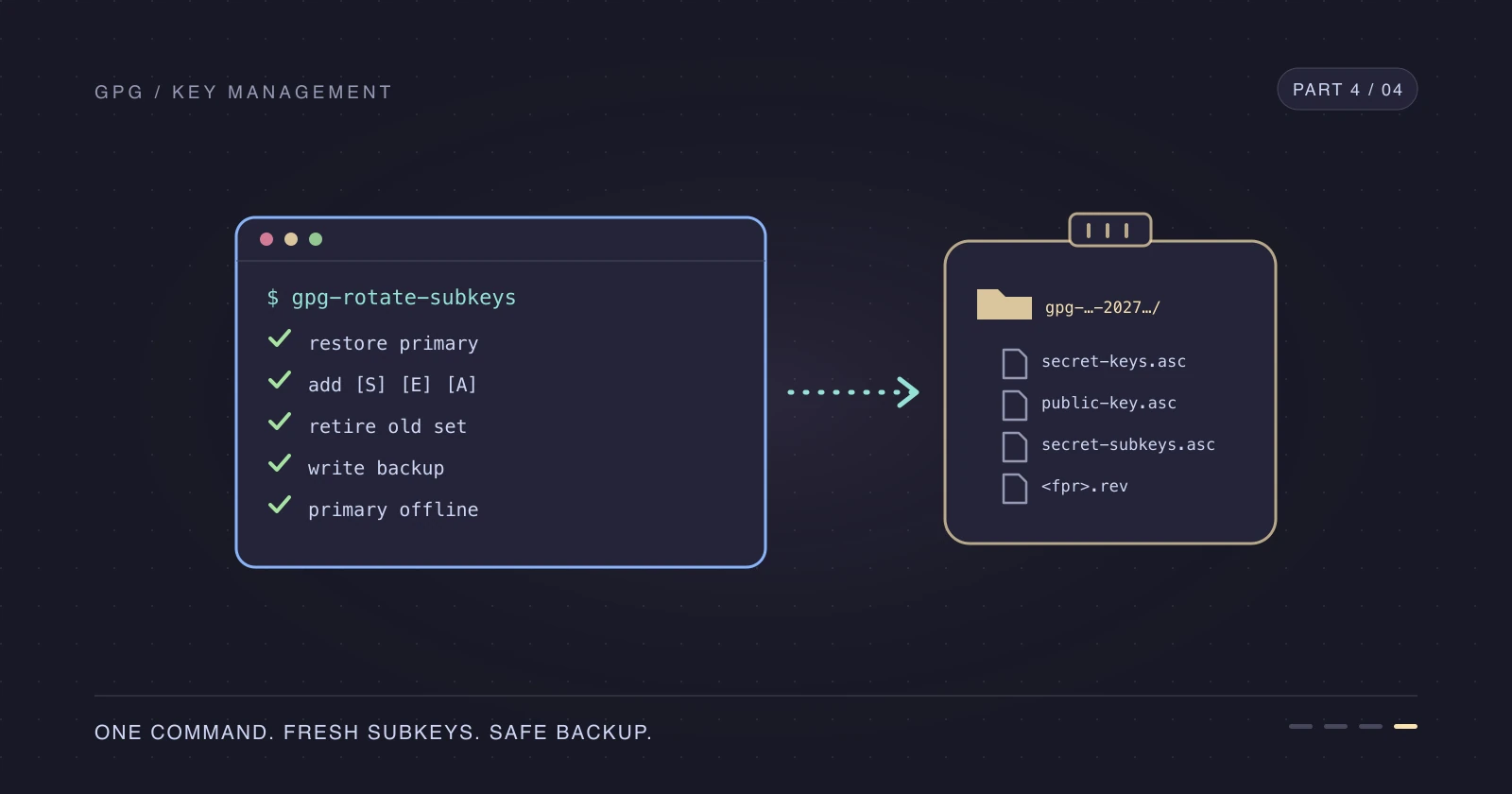
Once you know what each step does, Part 4 runs the keyring and backup steps of this runbook with a single script.
References
- GnuPG OpenPGP key management manual
- Adding a GPG key to your GitHub account
- About commit signature verification
- GitHub SSH and GPG key settings
- Create a GPG key with subkeys — Part 1
- Keep your primary GPG key offline — Part 2
- Automate GPG subkey rotation — Part 4
- Configure multiple Git commit email addresses by folder
Thanks for reading—and future me, you're welcome.